Table of Contents
How do I correct/delete an entry with acknowledgements on an employee's timesheet? #
First, create an employee's hourly report that shows the entry to be corrected/deleted.
Then follow the instructions below:
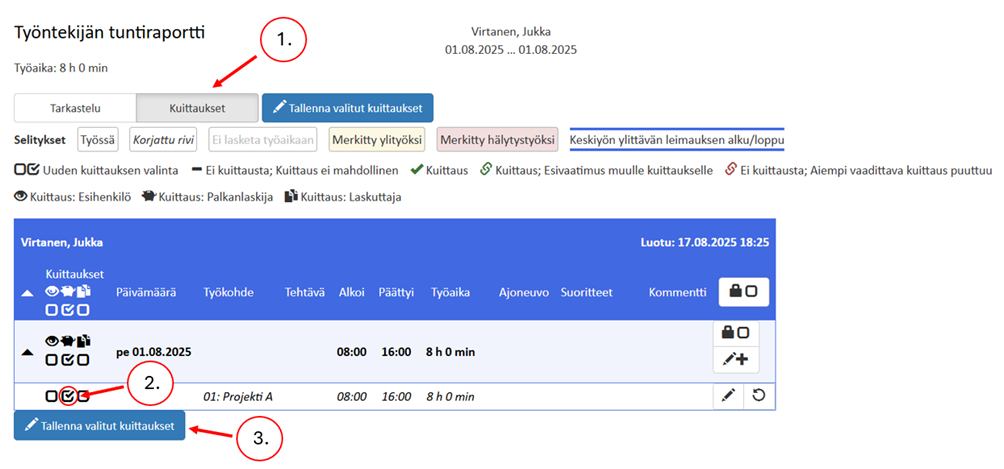
- Click Show receipts
- Delete the acknowledgements that you can delete. In the example, the payroll acknowledgement.
- Save receipts
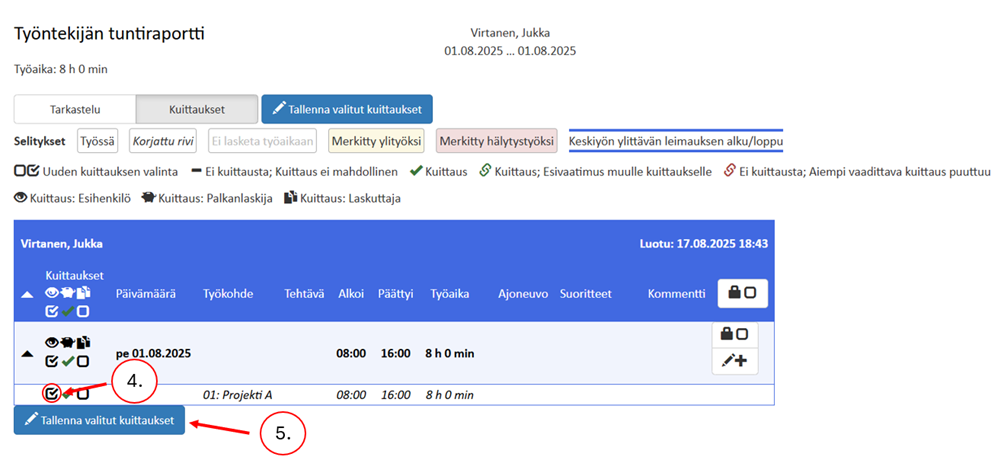
- Next, remove the acknowledgements from the report that are now possible to delete. In the example, the supervisor's acknowledgement.
- Save receipts
Delete the remaining acknowledgements with the corresponding one if necessary. You can now edit or delete the entries.